2025
Florist
User research
Personas
User journey maps
Pain Points
What matters most to our users
I conducted surveys with 40 participants to better understand users’ behaviours and attitudes toward ordering flowers online. Through this research, I identified four key pain points :
01
Customisation
Users want to customise flower arrangements to meet their individual preferences.
02
Quality
Users need assurance that the flowers they order will meet their expectations for freshness and beauty.
03
Cost transparency
Users seek a transparent pricing system to make informed decisions.
04
Interface simplicity
Users desire an intuitive interface, so they can navigate through the app effortlessly.
persona
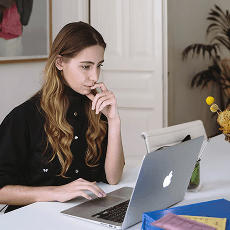
Emily
creative professional
Age :
Education :
Hometown :
Family :
Occupation :
30
University
Geneva
single
Graphic Designer
Frustrations
“I have specific preferences for flowers and wish to customise my bouquet”
Confused about the pricing of floral products
Goals
To brighten her workspace.
To enjoy beauty and fragrance of fresh flowers.
To order flowers from the comfort of her home.
Emily is a creative professional who enjoys treating herself to small luxuries to brighten her day. She appreciates the beauty of nature, including flowers. Emily has a keen eye for aesthetics, she appreciates bouquets that align with her personal style. Occasionally, she shares photos of her flowers on social media. While willing to invest in high-quality flowers, she is also mindful of her budget. Emily is tech-savvy and frequently explores online platforms for convenient and enjoyable shopping experiences.
user journey
Feels desire to have fresh flowers
Opens web browser and types url
Explores Homepage
Browses pre-made bouquets
Excited to get flowers
Curious about floral arrangements
Not satisfied with the designs

Make customisation option as accessible as browsing pre-mades
Paper wireframes
Digital wireframes
Low-fidelity prototype
Usability studies
PAPER WIREFRAMES
Exploring Homepage directions
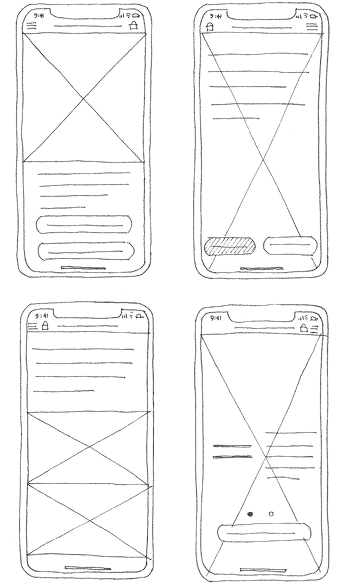
I started my sketches with the designs of the Homepage, as it represents the product.
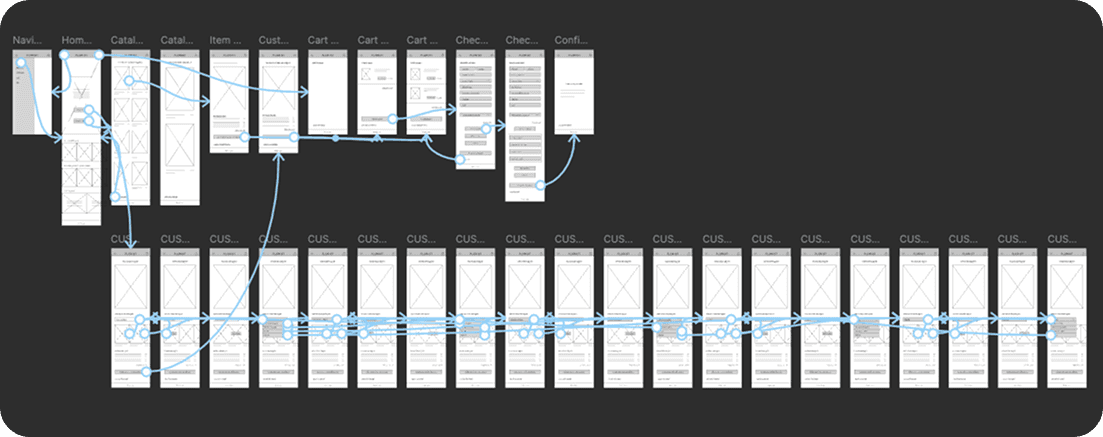
The Homepage introduces two fundamental user flows within the app: one for browsing pre-made options and the other for customising products.
The final design provides clear affordances and a well-defined starting point for users.
Design iterations

→ Final sketch
DIGITAL WIREFRAMES
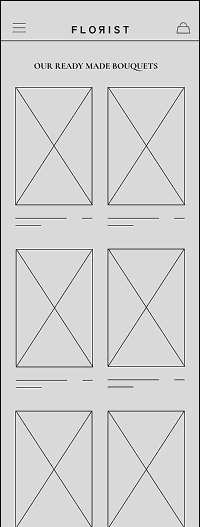
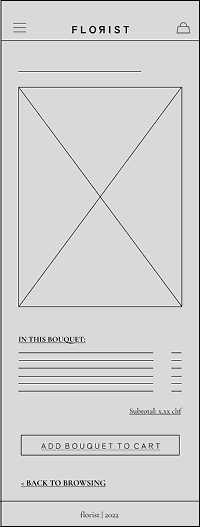
Browse pre-made bouquets
On the “Browse Pre-mades” page I focused on providing users with a clear overview of available bouquets. After selecting an item, users are presented with a large image and detailed description.
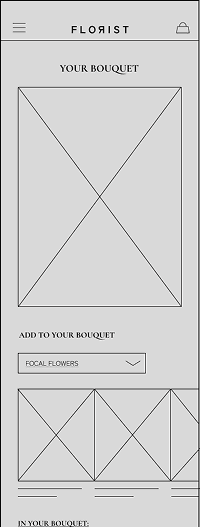
Create your custom bouquet
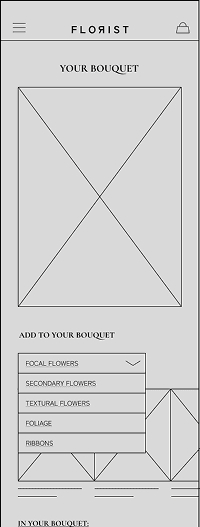
The “Create Your Custom Bouquet” page features a visual simulation of the bouquet, where users can virtually build their floral arrangements by mixing and matching individual stems. Stems are organised into categories following floristic principles: choosing the focal flower and adding secondary, textural and foliage elements.
usability testing
Iterating through user feedback
I conducted two rounds of usability testing with 5 participants each to identify friction points and refine the experience.
round 01
Initial findings
Users wanted a simpler design of “Create a Custom Bouquet” flow
Users were confused with the CTA labels on the Homepage
Users wanted more seamless navigation
round 02
After iterations
Users were confused with "stem categories" feature
Some confusion remained around the CTA labels on Homepage
Users expected a more prominent “Add to Cart” button
Key Takeaway
Testing helped surface new opportunities to ensure a more intuitive experience for users.
Mockups
High-fidelity prototype
Accessibility
mockups
Helping users choose a path
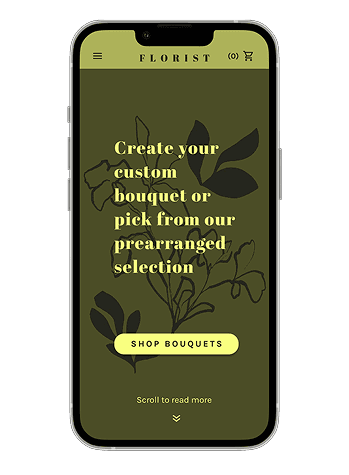
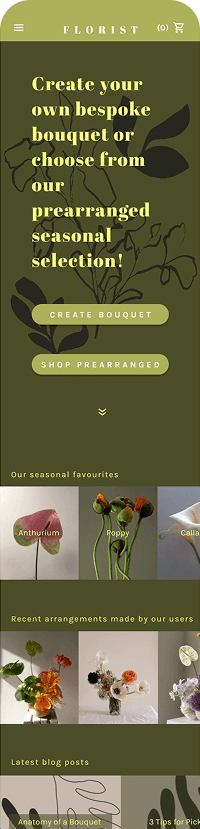
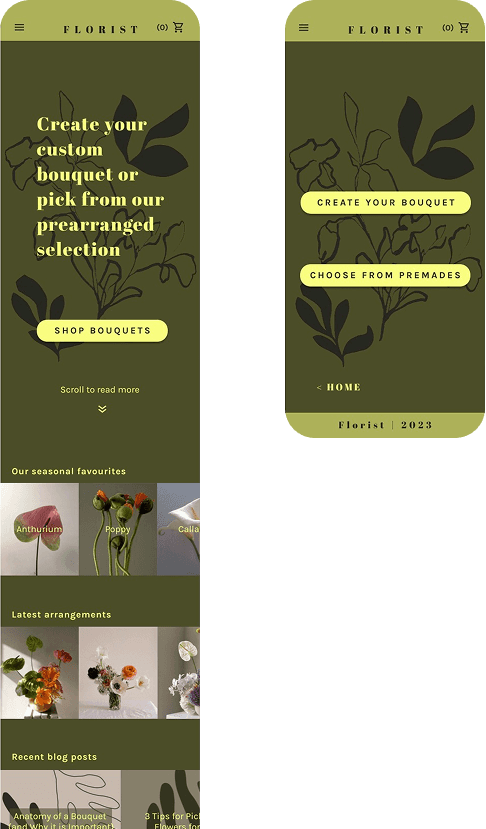
Usability testing showed that users had difficulty distinguishing between different flows based on the CTA labels on the Homepage.
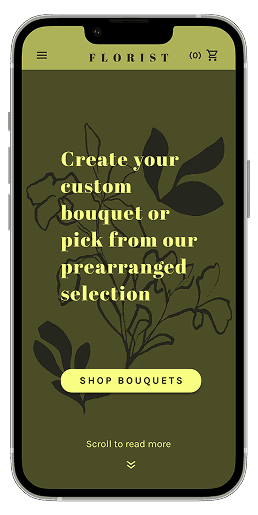
To remove ambiguity, I added a primary “Shop Bouquets” CTA that clearly communicates where users can purchase flowers on the platform. This leads to a new page, where users can choose between creating a custom bouquet or quickly selecting a pre-made option, depending on their needs.
I also added a scrolling affordance and applied accessibility adjustments for colour contrast and font size.
Before Usability Study
→ After Usability Study
From compact tiles to immersive browsing
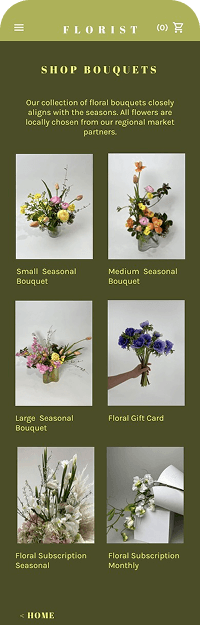
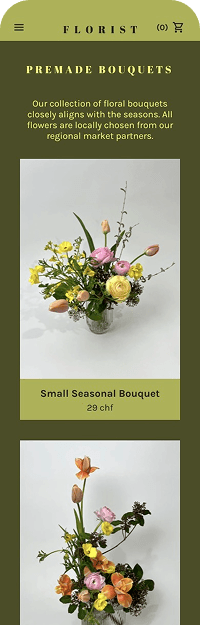
In the early concepts I imagined presenting pre-made bouquets as small tiles, aiming for a compact overview. However, as the designs progressed into the high-fidelity, I realised that the bouquets deserved more visual space. To support a more comfortable browsing experience, I redesigned the page allowing the images to fill the screen.
Before Usability Study
→ After Usability Study
In the first drafts for custom bouquet building feature, I relied on a dropdown menu to organise stem categories. Usability testing revealed that users struggled to understand how to build a bouquet. To better support them, I redesigned the experience as a guided, step-by-step process - starting with the focal flower and gradually building up with secondary and foliage elements.
Following the second usability study, I added a progress marker for better orientation and applied accessibility improvements.
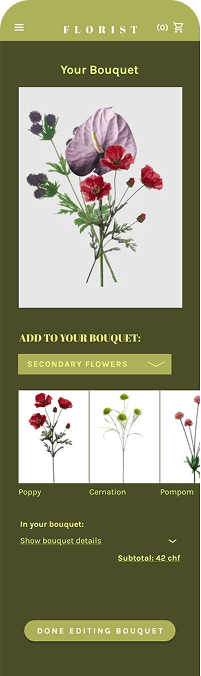
→ After 1st Usability Study
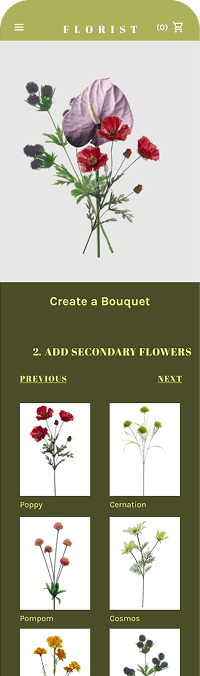
→ After 2nd Usability Study
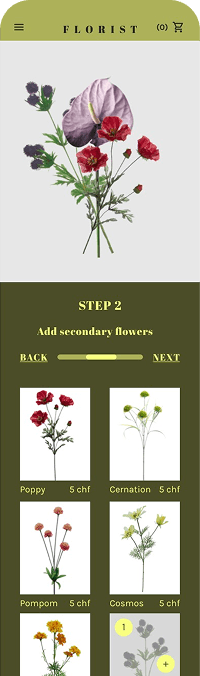
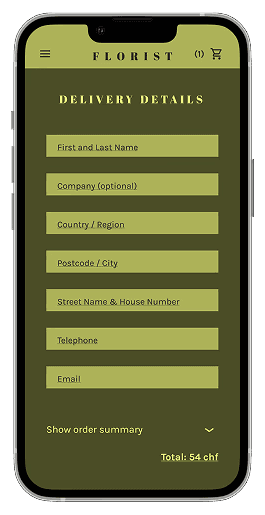
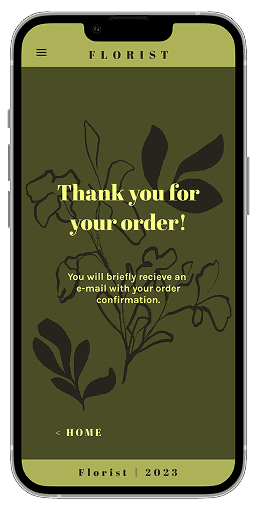
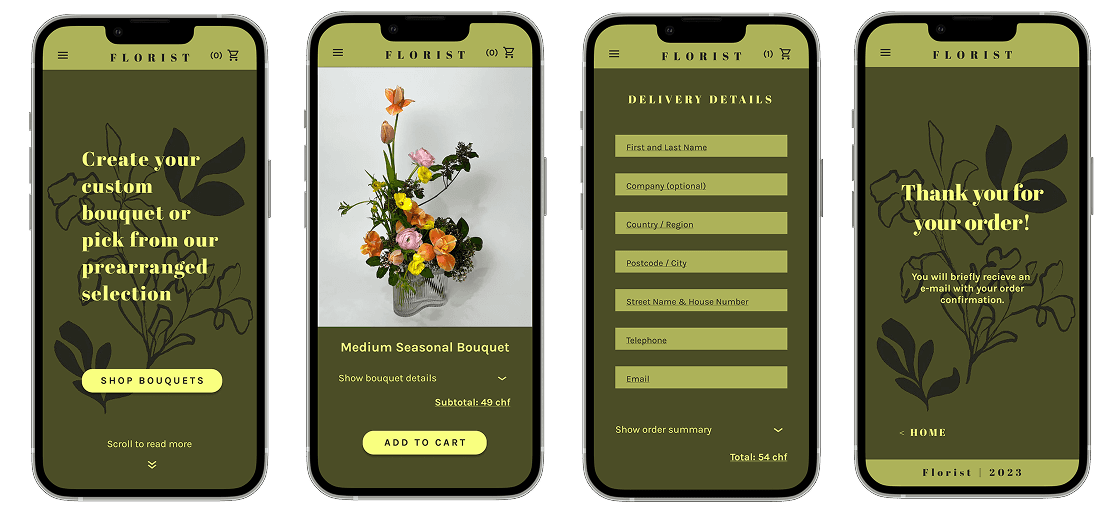
final designS
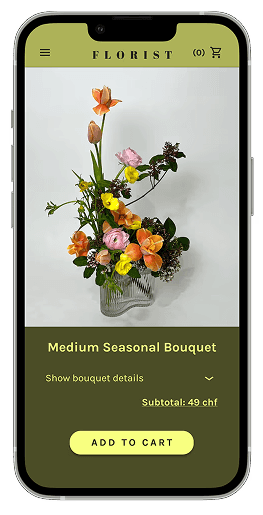
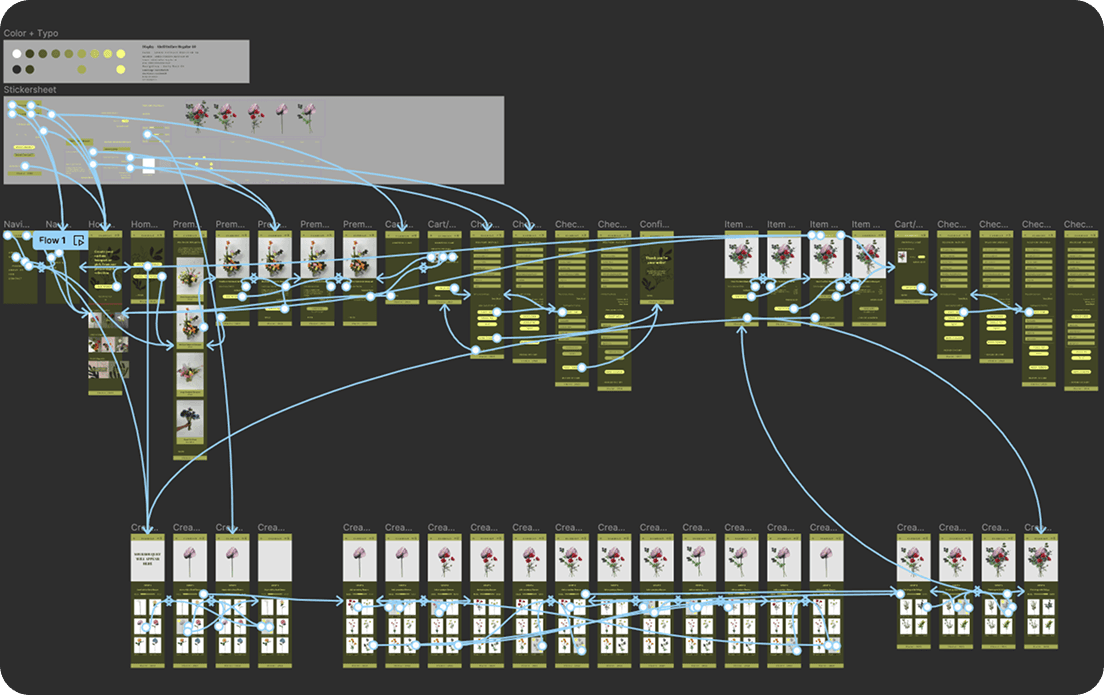
Accessibility considerations
These considerations reflect my commitment to making the design accessible to a wide range of users, promoting a positive and inclusive user experience.
01
Colour contrast
I verified the contrast ratio of text and background colours using an online tool that follows Web Content Accessibility Guidelines (WCAG).
02
Large fonts
I chose the font size of minimum 13.5pt to improve legibility and aid users who may have difficulty reading smaller text.
03
Usability
I fixed main usability issues to improve the overall product’s accessibility.
Takeaways
Next Steps
takeaways
Impact
The "Florist" app is designed to make the art of bouquet design accessible to everyone. By allowing users to create their own bouquets, the app encourages users to express their creativity and personal style. At the same time, the app still offers a quick pre-made option for those who prefer a more straightforward purchase.
“The step-by-step flow made it easy to create a bouquet, even without any floristry experience.”
- Marianna Kern
What I Learned
→ The Florist app was my first UX project and an opportunity to apply the UX design methodology (empathise, ideate, wireframe, prototype and test) in practice.
→ In architecture, I rarely had a chance to observe how users interacted with the final designs. Usability testing offered a new perspective. Receiving direct feedback from users revealed that things that felt obvious to me were not always clear to them.
→ Iterating on the design after each round of testing was both challenging and rewarding. It reinforced my design philosophy: it’s not about imposing a vision, but about responding to real user needs.
Next steps
These next steps aim to bridge the gap between design and real-world impact, establishing the “Florist” app as a valuable tool in the floral industry.
01
Collaboration with flower business owners
As the next step, I propose a partnership where florists can supply both ready-made bouquets and stems for customisable arrangements. This step will integrate the ‘Florist’ app into the existing floral business landscape.
02
Collaboration with software developers
To transition from mockups to a fully functional app, I will need to collaborate with software developers.
03
Implementing marketing strategies